Click Here For More Choices
Click Here for Video Instructions
Share Codes:
Newest Share Code:

Lead Capture Page #41:
185166-crack-the-code
Note: Due to animation you will copy need to be changed content in source code. (html)

Lead Capture Page #40:
185166-moon
Note: Due to hidden content copy may need to be changed in source code. (html)

Lead Capture Page #41:
185166-earth-moon
Note: Due to hidden content the Button and other copy may need to be changed in source code. (html)

Lead Capture Page #40:
185166-blue-hat
Note: Due to hidden content copy may need to be changed in source code. (html)

Lead Capture Page #39:
185166-woof
Note: Due to hidden content the Button and other copy may need to be changed in source code. (html)

Redirect Page for the FLS Stand Alone Page #38:
185166-fls-continue-pls-only —Free Lead System for PLS only email campaign.
185166-fls-continue-aweber-gr —Free Lead System for Aweber & GetResonse only email campaign.

Lead Capture Page #37:
185166-flsf-sl-pls – Free Lead System for PLS only email campaign.
185166-flsf-sa-lc – Free Lead System for Aweber & GetResonse only email campaign.
Lead Capture Page #36:
185166-flsf-p – Free Lead System for PLS only email campaign.
185166-flsf-lc-purple – Free Lead System for Aweber & GetResonse only email campaign.

Lead Capture Page #35:
185166-VIPLC-35
6 variations: 3 with EU Checkbox and 3 without
NOTE: With all pages that have EU Privacy Compliance please change “YOUR BUSINESS” in the html code (source code) to reflect your name or your business name.

Lead Capture Page #34:
185166-VIPLC-34
6 variations: 3 with EU Checkbox and 3 without
For ADVANCED Users.
NOTE: With all pages that have EU Privacy Compliance please change “YOUR BUSINESS” in the html code (source code) to reflect your name or your business name.
ADDED NOTE: When copying to your account this page you will get errors due to the PLS system editor changing code to fix this issue go into source code and search for: data-=“” data-fancybox=“”
anc change that to: data-fancybox
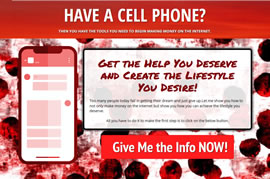
Lead Capture Page #33:
185166-VIPLC-33
6 variations: 3 with EU Checkbox and 3 without
NOTE: With all pages that have EU Privacy Compliance please change “YOUR BUSINESS” in the html code (source code) to reflect your name or your business name.
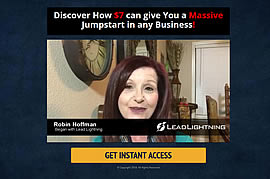
Lead Capture Page #32:
185166-VIPLC-32
No compliance checkbox for countries that don’t require a Privacy checkbox.
Lead Capture Page #31:
185166-VIPLC-31
This page has a checkbox that is required for privacy compliance in the EU. Please change “YOUR BUSINESS” in the html code to reflect your name or your business name.

Lead Capture Page #30:
185166-VIPLC-30

Lead Capture Page #29:
185166-VIPLC-29

Lead Capture Page #28:
185166-VIPLC-28

Lead Capture Page #27:
185166-VIPLC-27

Lead Capture Page #26:
185166-VIPLC-26

VIP Lead Capture #25:
185166-VIPLC-25
Instructions for Lead Capture Page #25


Lead Capture #24:
185166-7dollar

Lead Capture Page #23:
185166-newsletter-41

Lead Capture Page #22:
185166-VIPLC-22

VIP Lead Capture #21:
185166-VIPLC-21

VIP Lead Capture #20:
349538-VIPLC-20

VIP Lead Capture #19:
349538-VIPLC-19

Live Event Cycle #19:
178398-ticketintro

VIP Lead Capture #18:*
349538-VIPLC-18
*- Text needs to be edited in the Source Code due to the animation of the box.

VIP Lead Capture #16:
349538-VIPLC-16

VIP Lead Capture #15:
349538-VIPTP-15

VIP Lead Capture #14:
349538-VIPLC-14

VIP Lead Capture #13:
349538-VIPLC-13

VIP Lead Capture #12:
349538-VIPLC-12

VIP Lead Capture #11:
349538-VIPLC-11

VIP Lead Capture #10:
349538-VIPLC-10

VIP Lead Capture #9:
Retired No Longer Available

VIP Lead Capture #8:
352664-leadlightning
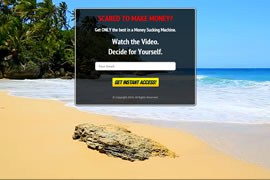
VIP Lead Capture #7:
185166-VIPLC-7
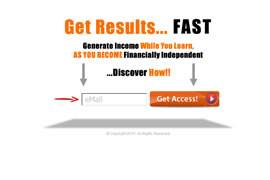
VIP Lead Capture #6:
185166-VIPLC-6

VIP Lead Capture #5:
185166-VIPLC-5

VIP Lead Capture #4:
185166-VIPLC-4
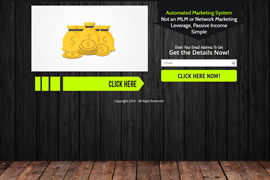
VIP Lead Capture #3:
185166-VIPLC-3
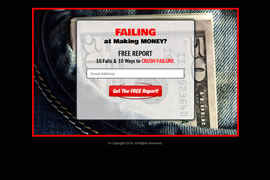
VIP Lead Capture #2:
185166-VIPLC-2

VIP Lead Capture #1:
185166-VIPLC-1
# – Six Easy Steps to Create New Lead Lightning Funnel
1) Hover over ‘Websites’, hover over ‘Webpages’, then click on ‘My Sharing Codes’.
2) Paste in this share code and click ‘Submit’: 352664-leadlightning
3) Hover over ‘Websites’, hover over ‘Webpages’, then click on ‘Copy Webpages’.
4) Scroll down, find and select the page called ‘VIP Lead Capture #8’
5) Scroll to bottom and click ‘Save’.
6) Name your page, assign it to a domain or subdomain, choose an autoresponder campaign, then find and select the ‘Lead Lightning Sales Page’ from the drop down menu, then save.
Note: Find and choose between one of these 2 campaigns:
